

Before you begin
- A Mac with Apple silicon and macOS 13 or later.
- An iPhone and a USB cable that carries data.
- Xcode, signed in to an Apple Account. A free account works.
- A Claude or ChatGPT subscription with Claude Code or Codex on this Mac, or an Anthropic or OpenAI API key.
Set up
1
Get Mobster and sign in
- Download
- Homebrew
Download Mobster for Mac, open
Mobster.dmg and drag Mobster to Applications.2
Connect your iPhone
Connect your iPhone is a checklist that updates as you go. When a row has a button, such as Get Xcode or Install, press it.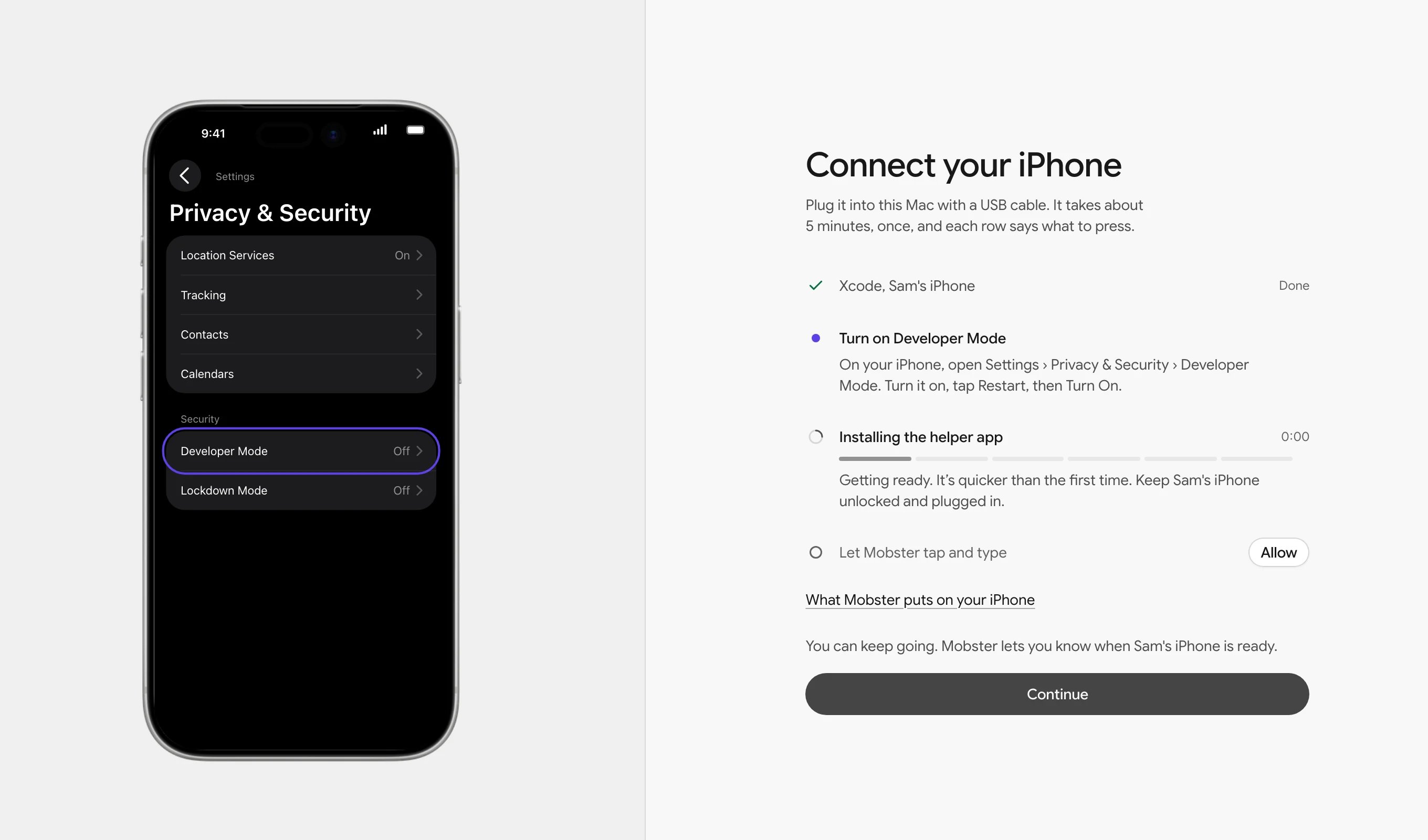
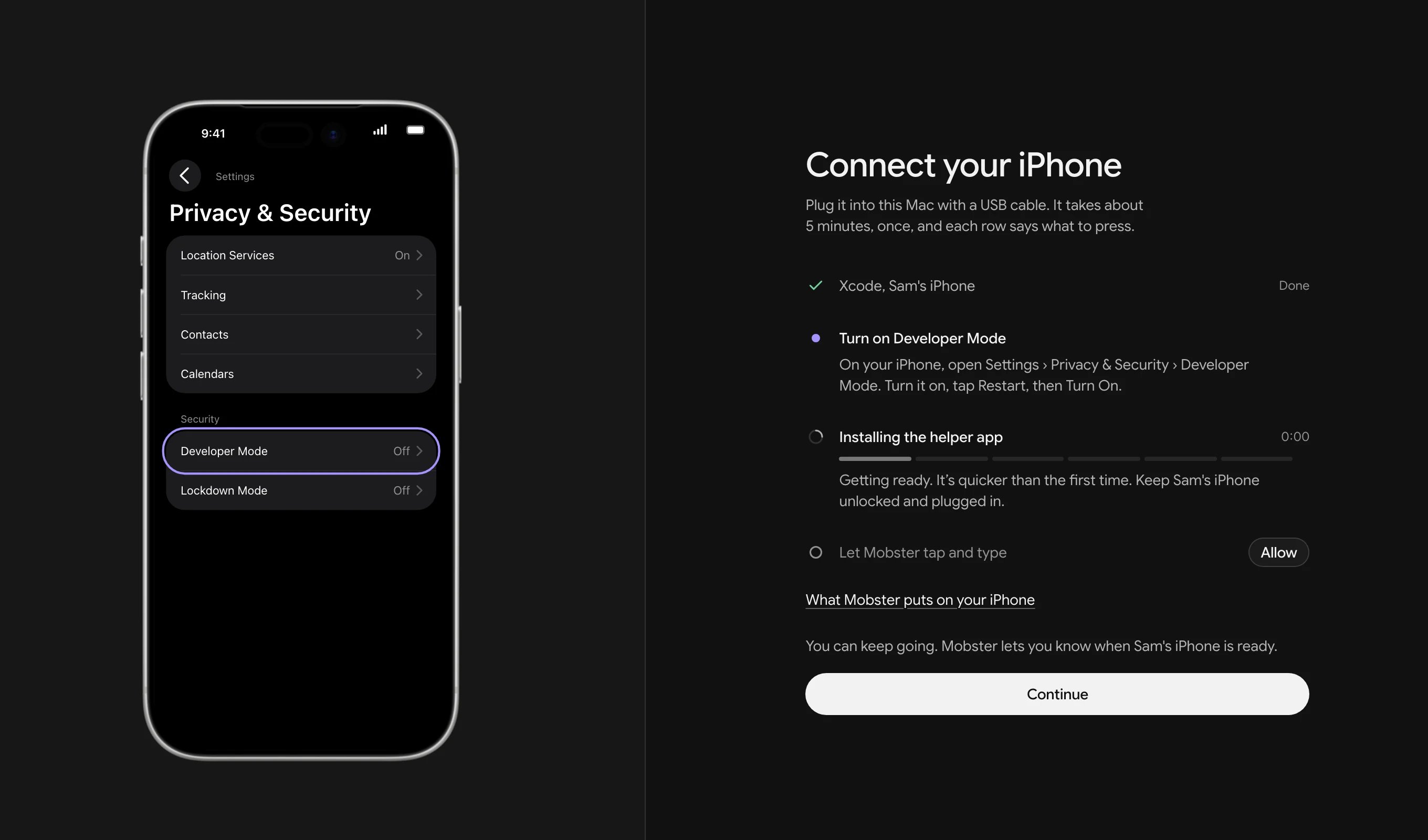
- Plug in the iPhone, unlock it and tap Trust.
- Mobster installs the helper app on the iPhone, signed with the Apple Account in Xcode. Allow about 2 minutes.
- On the iPhone, open Settings › Privacy & Security › Developer Mode, turn it on and restart.
- Choose Allow so Mobster can tap and type.
A free Apple Account signs the helper app for 7 days at a time. Mobster refreshes it while the iPhone is plugged in and unlocked.
3
Choose who runs your checks
Open Settings › Models.
- Use your plan: Claude Code or Codex shows Ready once it’s signed in on this Mac. If its row names a command, run it in Terminal, then choose Check again.
- Use an API key: add an Anthropic or OpenAI key. You pay the provider directly.
Run your first check
Install your app on the iPhone. Then type this in Home’s task box, with your app’s name, and press Enter:Next
A tour
Where Home, the phone pane and Settings are.