

⌘, opens it, and so do Settings in the menu under your email at the foot of the sidebar, and ⌘K. Back or esc returns you to where you were.
Voice, memory, Remote, Connectors, Plugins and Profiles are not sections here. Shortcuts and voice, Memory, Mobster Remote, Connectors, Plugins and Profiles each have a page.
General
- Open at login. Start Mobster when you log in, so scheduled workflows run even if you haven’t opened it. Closing the window keeps Mobster running; quit with ⌘Q.
- Appearance. Auto follows your Mac’s appearance. Light or Dark keeps Mobster in that one, whatever macOS uses.
- What you use Mobster for. My app, My accounts or Both, the answer to Setup’s first question (Both until you answer it). It picks the suggestions under the task box and how much Setup’s iPhone screen explains.
- About. Mobster’s version and the build it came from, such as
0.4.0 (b88043b), and the date of that build’s commit. Hover the version to see the full revision, and click it to copy the revision for a bug report.
Notifications
- Task notifications. Tell me when a task finishes or needs my OK while Mobster is in the background.
Models
Models picks who does your tasks, and whose bill it is: a plan you already pay for, or an API key. Keys and sign-ins stay in this Mac’s Keychain. Each task sends its text, the screen’s contents and screenshots to that provider.- Use your plan. Codex, Claude Code and Gemini each say Ready once they’re installed and signed in, or the one thing left to do. You pick a ready one in the composer. The other plans, such as Grok and Kimi Code, have Sign in or Add key. Use your plan lists them.
- Use an API key. Each task is billed by that provider. Claude and OpenAI come first, then Google, OpenRouter, xAI, Groq, Mistral and DeepSeek, and More providers shows the rest. Use an API key lists them.
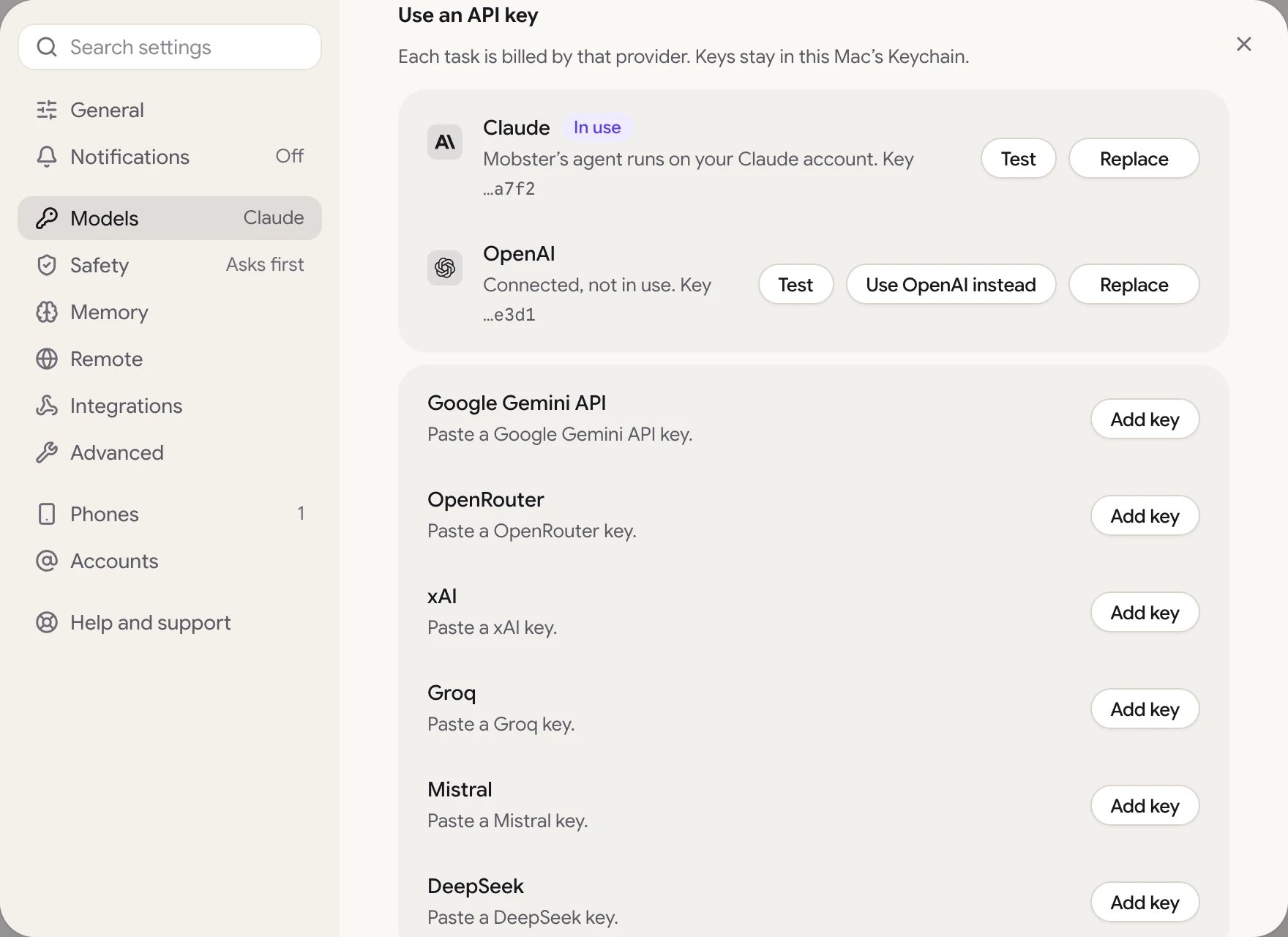
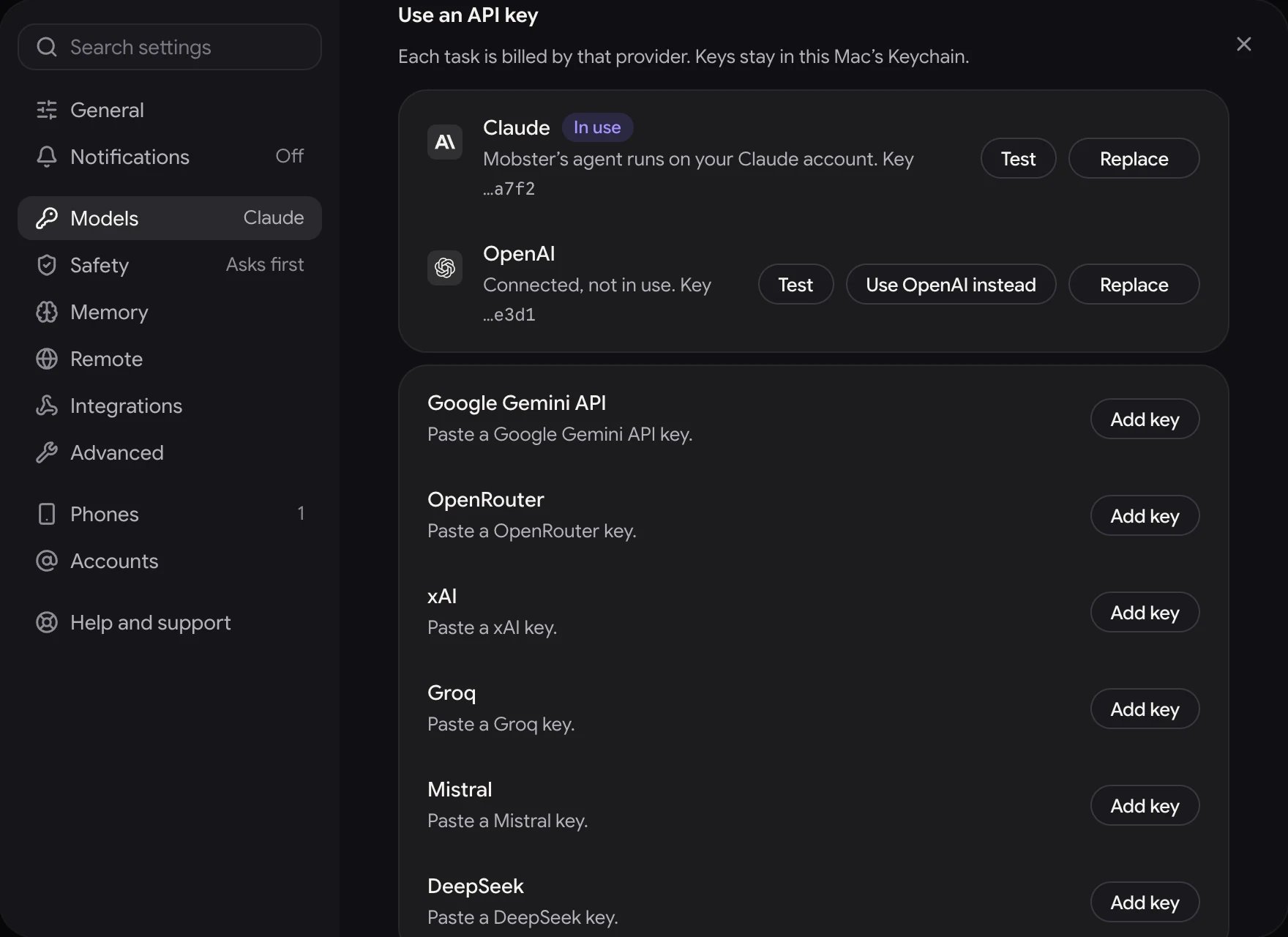
Settings › Models, under Use an API key: Claude in use, and OpenAI connected but not in use.
- Claude and OpenAI. Connect takes a key, Test checks it, and Replace swaps it. The one Mobster’s agent runs on says In use. When both are connected, Use Claude instead or Use OpenAI instead switches.
- Another provider. Add key opens a form for the key and, if you want, a model. Save and use checks the key and makes it the one in use. Remove forgets it.
- This month. What your tasks cost at your provider’s published rates. A task on Codex, Claude Code or Gemini adds a row per agent and model with its tokens and API-equivalent, which isn’t spend. For Claude Code, the row also shows its 5-hour and weekly limits: the share used and when each resets. Use your plan
- Stop a task that reaches $1. Mobster ends a task at this cost and tells you what it found so far. It’s on at $1 by default, and takes $0.05 to $100.
- Monthly limit. Mobster won’t start new tasks once this month’s spend reaches this amount, and a running task stops at what’s left. It’s off by default, and takes $1 to $10,000.
Safety
- Ask before acting. Mobster stops and shows you exactly what it will do before it sends, buys, posts, deletes or submits anything. On by default.
- Let Mobster tap and type. When this is off, new tasks and your own control can’t act on your iPhone. To end a task that is already running, use Stop (⌘ .).
Advanced
Optional extras, and the choices behind the defaults.- Mobster’s helper on your iPhone. Whether it’s running, when its signature ends, and Refresh now when it’s due; Mobster refreshes it by itself when your iPhone is plugged in and unlocked. Stop frees your iPhone for Xcode or another tool; Mobster starts it again when a task needs it, and Start starts it now.
- Live picture smoothness (Saver, Smooth, Smoothest) and Live picture sharpness (Low, Medium, High). Smoothness is the rate while a task runs; the rest of the time the picture shows up to 15 frames a second. A still screen costs one frame a second, and the picture stops while the window is out of view. On a slow link, Mobster goes below these choices and the line under the picture shows the rate.
- Mobster may ask me questions. When a task could mean two things and your iPhone’s screen can’t settle it, Mobster asks you first, at most twice a task.
Devices
Settings has no Devices of its own: every device is a card on the Devices page, where its ⋯ has Rename, Set as default, Rules, Connect or Disconnect, and Forget. A link to Settings › Devices opens that page.Account
Your Mobster account and this Mac. Your Mobster account has the details.- Your account. The email you signed in with and how, such as “Signed in with GitHub”, with Sign out. Signing out asks “Sign out of Mobster?”: “This Mac leaves your account, and apps connected to it through Mobster Remote lose access. Your conversations and history stay on this Mac.”
- This Mac. “Mobster runs on one Mac at a time.” Its row names this Mac, with “Open Mobster on another Mac to move it there.” To move it, open Mobster on the other Mac and choose Use on this Mac. One Mac at a time
Billing
Your plan, and where to pay, cancel or get money back.mobster://billing opens it.
- Plan. Lifetime, Monthly, Yearly or Free trial, and how it stands: “Active. It doesn’t expire.”, “Renews on Nov 8, 2026.”, “Canceled. Works through Nov 8, 2026.” or “Free trial until Oct 21. Then choose Monthly $12, Yearly $99 or Lifetime $149. Nothing is charged until you choose.” A monthly or yearly plan has Manage subscription, which opens Stripe’s billing page in your browser.
- The plans during the trial. During the free trial, Monthly, Yearly and Lifetime are right under the trial’s line, under “Your plan starts the day you pay, and the free trial ends then.” Pick one and pay: checkout opens in your browser. Billing in the menu under your email, at the foot of the sidebar, opens this section.
- Invoices and receipts. View opens Stripe’s billing page, where you can download them.
- Refunds. A full refund within 14 days of buying Lifetime; a monthly or yearly plan cancels with Manage subscription. During the trial it says “Nothing is charged in the trial. Lifetime has a full refund within 14 days of buying.” Email support writes to support@radish.software.
Help and support
- Take the tour. A 1-minute look around: the task box, your iPhone and approvals.
- Contact support. Write to support@radish.software. A person reads every message.
- Join the Discord. Ask questions, share tasks and hear what is new from other people who use Mobster.
- Follow on X. News and short clips of Mobster at work, @getmobster.
For developers
Your own agent can use your iPhone through Mobster’s MCP server. The Mac app’s own agent serves it, so there’s nothing else to install.- Add Mobster to your agents. Open Connectors goes to Use Mobster from…, where Claude Code, Claude Desktop, Cursor and Codex each have Add.
- Approvals. Mobster asks before it sends, buys, posts or deletes in the tasks it runs here. When your own agent uses your iPhone, your agent’s own permission prompts apply.
- Test your app. Run your app’s checks on simulators and your iPhone, with reports for CI. Run every check
- Test results. Open shows the last 5 runs of
mobster teston this Mac, newest first: each check that didn’t pass, why, its steps with the one it failed on marked, and its Logs and Crash pane beside them. ⌘K Test results opens it too. Logs, crashes and video - Copy tasks as checks. Finished tasks get Copy as check: their steps and what they proved, ready to paste into your project’s
.mobster/checks.
Project
What the app you test needs on this Mac. Choose the project: one Mobster already knows, or Choose a folder for its repository.- Secrets. The names your checks use as
${NAME}, from.mobster/env.example. Each says whether it’s set in this Mac’s Keychain, set from the environment, or not set (a check that uses it won’t start). Set or Replace asks for the value in a hidden field, once; Mobster never shows it again, here or in a run. Add adds a name toenv.examplewith its value. Remove deletes the value and keeps the name. It’s the same asmobster env set(Test accounts and secrets). - TestFlight. The App Store Connect key Mobster lists and installs your TestFlight builds with: the project’s own, else the one every project shares. Add a key takes the Key ID, the Issuer ID for a team key, and the
.p8file’s text, and keeps the key in this Mac’s Keychain. Afterwards the row shows the Key ID only. An environment key says where it comes from and has no Keychain removal action. It’s the same asmobster testflight key add(App Store Connect). - Builds. With a key, the app’s 5 newest TestFlight builds, newest first, each with when it was uploaded. The app is the one Mobster found in the project’s folder (a choice when it found several), else the bundle ID you type once. A build TestFlight can install has Install, which installs it on your default device through TestFlight, as
mobster testflight installdoes; the others say why they can’t be installed, such as an expired build. Show them lists up to 20.- If Mobster tapped Install and didn’t see TestFlight finish, the row says to look at the iPhone and offers no Install, so a second install never starts by accident.
- Mobster never accepts TestFlight’s terms for you. When TestFlight needs a tap, the row says which one.